
Always at hand
The board slides up from the bottom of any screen, even over full-screen apps, without stealing focus.
SmartClipboard remembers your text, links, images, colors and files. Press Control+V, pick a card, and it lands right where your cursor is.
macOS 14 Sonoma or later · Apple silicon and Intel
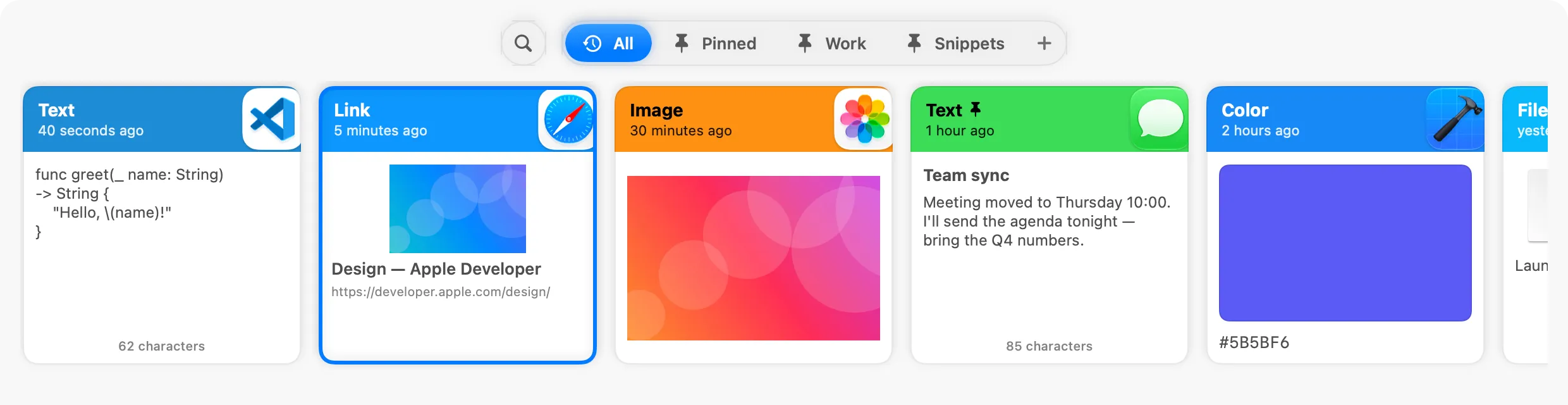
The board slides up from the bottom of any screen, even over full-screen apps, without stealing focus.
Choose a card with the arrow keys and press Return. SmartClipboard pastes into the app you were using.
History stays on your Mac. Password managers and concealed content are never recorded.
Your history, at a glance
Each card shows what you copied and where it came from, tinted with the color of the source app. Links show their page title, images show a preview and colors show a swatch.

Find anything
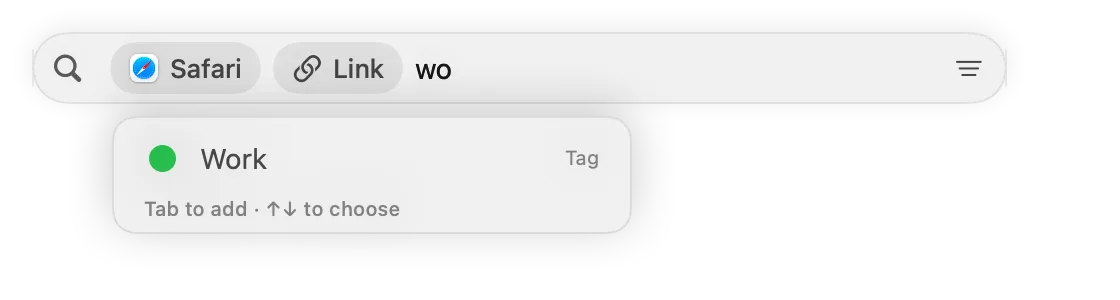
Type an app name, a type or a date and it turns into a filter chip. "link safari today" finds the links you copied in Safari today, and words inside screenshots are searchable too.
Keep what matters
Create tags for snippets, addresses or anything you reuse. Drag cards onto a tag, or press Control+V again to flip through them. Pinned clips are never cleaned up.

Look closer
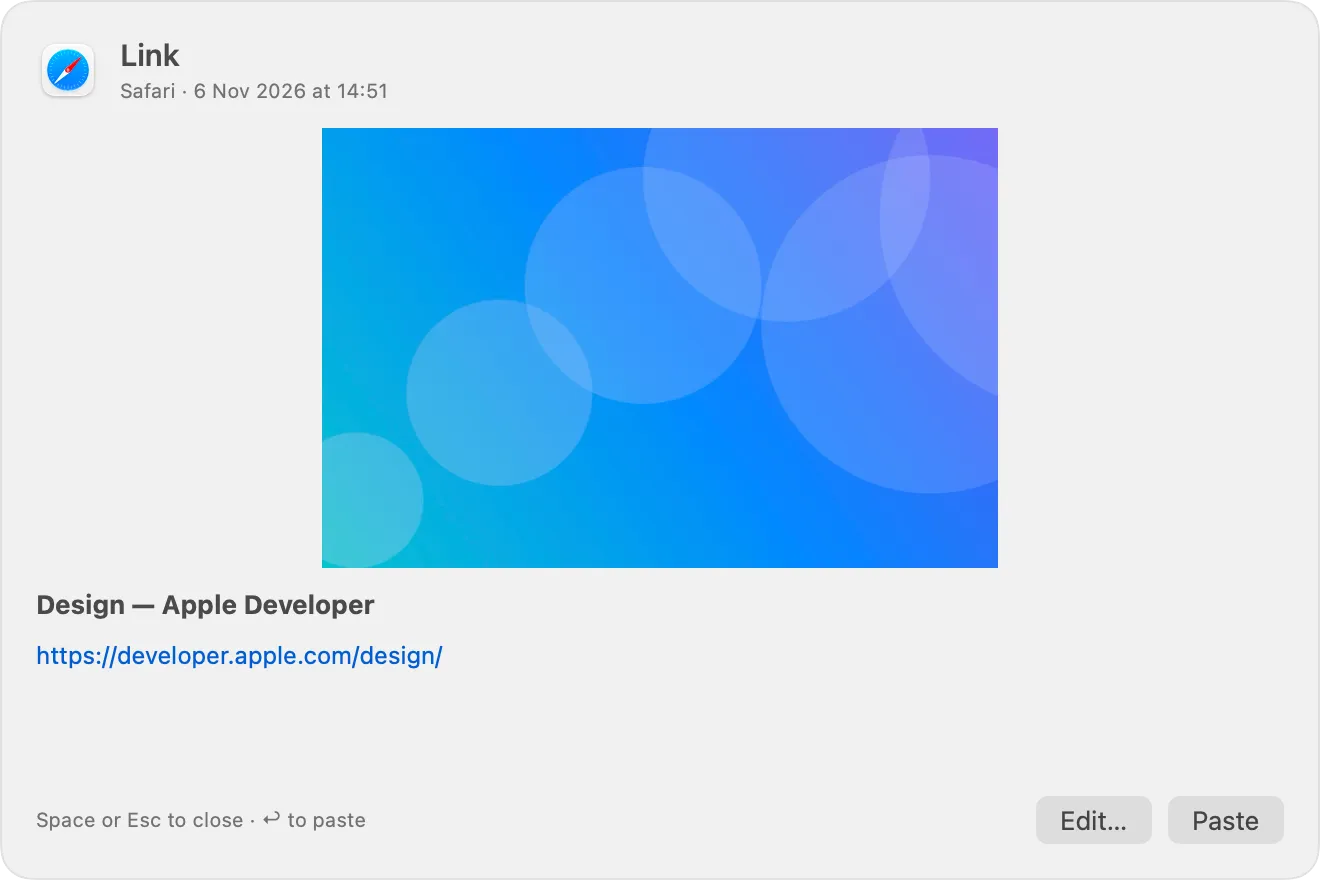
Press Space for a large preview. Fix a typo, give a clip a title, paste without formatting, or queue several clips and paste them one after another.
Everything works without touching the mouse.
Pricing
Every plan includes every feature. Pick the one that suits you when your trial ends.
19.000₫per month
Pay as you go, renew any time
Buy now Start free trial199.000₫per year
About 16.600₫ a month — save 13% (29.000₫)
Buy now Start free trial999.000₫one time
Pay once, use it forever, updates included
Buy now Start free trialLicences are for one person. Team licences are not available yet.
Built in Swift for macOS. Opens instantly and stays out of your way in the menu bar.
New versions download in the background and install while you are not using the board.
Optionally let Claude and other MCP clients search your history — read-only, local, off by default.
To paste the clip you choose into the app you are using, SmartClipboard presses ⌘V for you. macOS only allows that with Accessibility access. Nothing else is read or sent anywhere.
Only on your Mac, in your Library folder. Nothing is uploaded. You can pause recording at any time and exclude apps in Settings.
No. Copies from password managers such as 1Password, Bitwarden and KeePassXC, and anything marked as concealed, are skipped.
Unpinned clips are kept for 30 days by default. Choose from one week to forever in Settings. Pinned clips are always kept.
After 7 days, choose a monthly, yearly or lifetime licence to keep pasting. Your history stays on your Mac either way.
Yes, on up to 3 of your own Macs. You can move it to another Mac at any time from Settings. Team licences are not available yet.
Yes. Open Settings from the menu bar icon and record any shortcut you like.

Download, move to Applications and open. SmartClipboard updates itself from then on.
Download SmartClipboard